Training teams in the USA and around the world face the same daily headache. Their LMS sits in one corner. Their HR software sits in another. Their CRM and chat tools live somewhere else entirely. Nobody talks to anybody. As a result, admins spend hours copying data by hand, and that wasted time adds up fast.
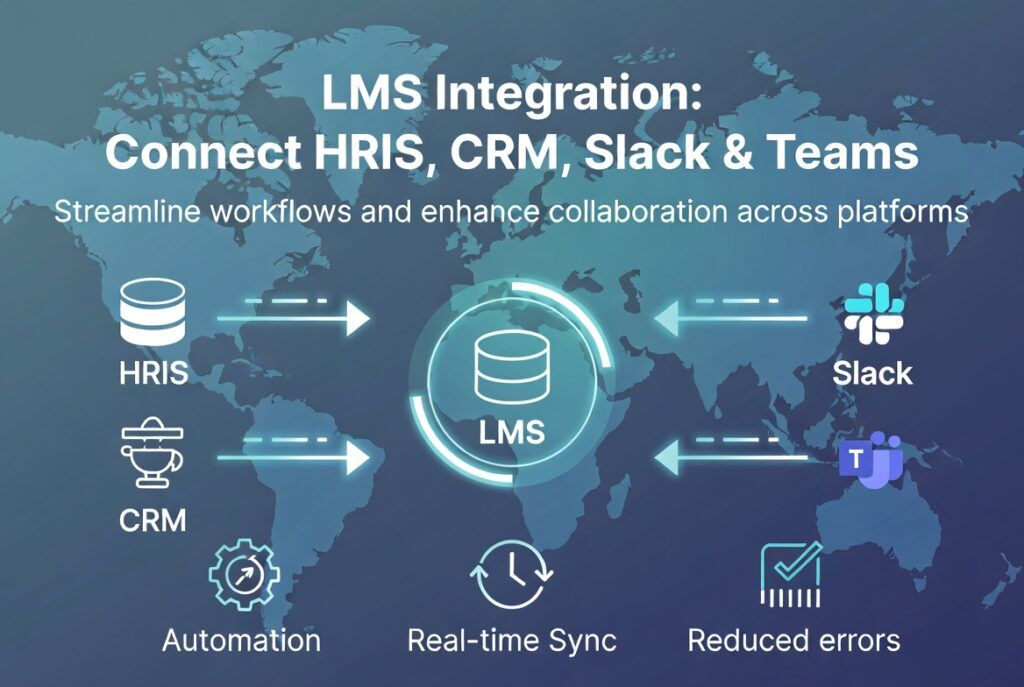
This is exactly why LMS integration matters so much today. When you connect your learning platform with HRIS, CRM, and collaboration tools, you remove manual work. You also reduce errors. Most importantly, you give your team one connected system instead of five disconnected ones.
In this guide, we will explain what LMS integration means. We will also show why it matters. Then we will cover how to connect your LMS with tools your business already uses. Finally, we will answer common questions business owners ask before they start.
What Is LMS Integration?
LMS integration is the process of connecting your learning management system with other business software. This includes HR systems, customer relationship management tools, and team collaboration apps like Slack or Microsoft Teams.
Instead of treating your LMS as a standalone island, integration turns it into part of a larger digital ecosystem. Data flows automatically between systems. New hires get enrolled in training the moment HR adds them to payroll. Sales reps get notified about new courses right inside their CRM dashboard. Nothing requires manual entry.
Still researching platforms? Our guide on how to choose the right LMS for your organization is a good place to start.
Why LMS Integration Matters for Your Business
Many businesses underestimate how much time gets lost without proper integration. Consider a mid sized company in the USA with 500 employees. Without integration, HR must manually upload every new hire into the LMS. Then the training team must manually track completions and report them back to HR. This process is slow, and it invites mistakes.
On the other hand, an integrated system removes this friction completely. As soon as HRIS data changes, the LMS updates too. As soon as a learner finishes a course, the CRM or collaboration tool reflects that instantly. This saves time, and it also improves accuracy across every department.
Furthermore, integration supports better reporting. Leaders can see training completion rates alongside performance data, sales numbers, or compliance records. As a result, decision making becomes faster and far more informed.
Connecting Your LMS with HRIS
HRIS integration is often the first step companies take. After all, your HR system already holds the most accurate employee data. It knows who joined, who left, and who changed roles. Syncing this data with your LMS saves enormous time.
Here is how a typical HRIS and LMS integration works. First, the LMS connects to the HRIS through an API or a prebuilt connector. Next, employee records sync automatically. Then, training assignments and learning paths update based on a person’s department, role, or location. Finally, completion data flows back into HR records for performance reviews.
Benefits of HRIS Integration
- New hires get enrolled in onboarding courses automatically.
- Role changes trigger new training paths without manual setup.
- Compliance teams get accurate, real time completion records.
- HR teams save hours each week on data entry.
Does your training need to stay compliant too? Our ADA and WCAG compliance self audit checklist for eLearning can confirm your content meets accessibility standards.
Connecting Your LMS with CRM Platforms
CRM integration matters most for businesses that train external audiences. This includes customers, partners, and resellers. A well connected LMS can pull customer data directly from your CRM, then trigger product training automatically.
For example, imagine a software company in the USA that sells to enterprise clients. Once a deal closes in the CRM, the LMS can automatically enroll the new client’s team in an onboarding course. There is no extra step for the sales team. Everything happens behind the scenes.
Common CRM Integration Use Cases
- Automatically enrolling new customers in onboarding training.
- Tracking which leads completed product education before a sales call.
- Giving sales teams visibility into partner certification progress.
- Triggering renewal training before a contract ends.
This kind of automation does more than save time. It also improves the customer experience, since clients receive timely, relevant training without waiting on a manual process.
Connecting Your LMS with Collaboration Tools
Modern teams live inside chat tools. Microsoft Teams and Slack have become the default workspace for many companies. Therefore, connecting your LMS with these platforms keeps learning visible, instead of buried inside a separate app nobody opens.
With the right integration, learners can receive course reminders directly inside Teams or Slack. Managers can see team progress without leaving their chat window. Discussion threads tied to a course can even happen right inside a channel, which keeps learning social and active.
What to Look for in Collaboration Tool Integration
- Automatic notifications for new courses or deadlines.
- Progress dashboards inside the chat platform.
- Single sign on so learners do not need separate logins.
- Two way sync, so course completions show up in both systems.
Many smarter LMS platforms now rely on newer standards for this. Our guide on Model Context Protocol for LMS explains this emerging protocol in plain terms.
How to Plan a Successful LMS Integration
A successful integration does not happen by accident. It requires planning. Below are the steps most organizations follow when connecting their LMS with other tools.
Step 1: Define Your Integration Goals
Start by asking what problem you want to solve. Are you trying to remove manual data entry? Do you want better reporting? Maybe you simply want learners to get notified inside Slack. Clear goals shape every decision that follows.
Step 2: Audit Your Current Tech Stack
Next, list every tool your LMS might need to connect with. This includes your HRIS, CRM, single sign on provider, and chat platforms. Knowing your full stack early prevents surprises later.
Step 3: Choose the Right Integration Method
Some platforms offer prebuilt connectors. Others require API based integration through a developer. Choose the method that matches your technical resources and your timeline.
Step 4: Test Data Flow Before Going Live
Always test with sample data first. Confirm that employee records sync correctly. Confirm that course completions flow back properly. Testing early avoids painful fixes after launch.
Step 5: Train Your Team and Monitor Results
Finally, train your HR, sales, and L&D teams on the new workflow. Then monitor performance for the first few weeks. Most integration issues appear early, so quick attention keeps things running smoothly.
Are you moving from an older platform too? Our complete LMS migration checklist walks through the full process step by step.
Measuring the Impact of LMS Integration
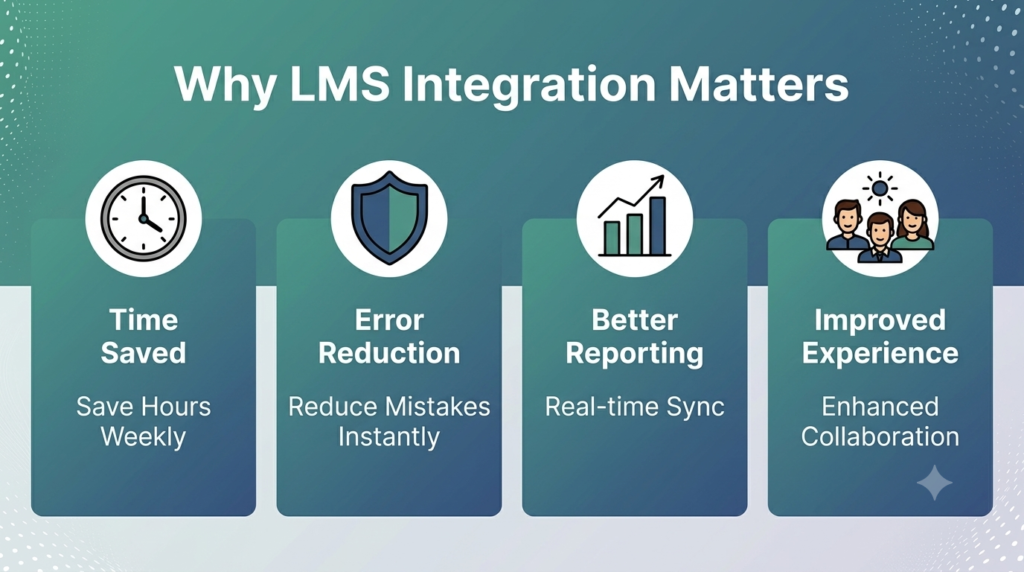
Once your integrations are live, measurement becomes essential. Otherwise, you will not know if the investment paid off. Track metrics such as time saved on manual data entry, training completion rates, and accuracy of compliance records.
Want to measure outcomes too? Our corporate training ROI calculator guide connects training data with real business results.
It also helps to track learning data using standards like xAPI, since this format captures detailed learner activity across multiple systems.
Curious how this works in practice? Read our breakdown of the xAPI Learning Record Store for more detail on integrated learning ecosystems.
Choosing Between an LMS and LXP for Integration Needs
Sometimes, businesses wonder whether they need a traditional LMS or a more flexible LXP. The answer depends on how your organization plans to use integrations. An LXP often focuses on personalized content discovery, while an LMS focuses on structured tracking and compliance.
Our comparison guide on LXP versus LMS breaks down which option fits your needs. This matters most when HRIS and CRM integration is a top priority.
The Role of AI in Modern LMS Integration
AI is changing how integrated systems behave. Instead of simple data syncing, AI powered LMS platforms can do more. They can predict which employees need specific training. This prediction often comes from CRM activity or HR performance data. As a result, integration becomes a smart, responsive system instead of a basic connection.
To explore this shift, read our article on AI powered learning for employee upskilling. You can also check our comparison of AI versus traditional instructional design for more context.
Common Mistakes to Avoid
Even with good planning, businesses in the USA and elsewhere often run into the same avoidable mistakes. Awareness of these pitfalls can save weeks of frustration.
- Skipping a data audit before connecting systems.
- Choosing an LMS without checking native integration support.
- Failing to test workflows with real, sample data.
- Ignoring user permissions across connected platforms.
- Not training staff on the new automated workflow.
Avoiding these issues early makes the entire integration process smoother and far less stressful for everyone involved.
Final Thoughts
LMS integration is no longer a nice extra feature. It has become a core requirement for any business that wants to scale training efficiently. By connecting your LMS with HRIS, CRM, and collaboration tools, you remove manual work, reduce errors, and create a smarter learning ecosystem.
Are you just starting your research? Or are you ready to implement integrations today? Either way, a structured approach will save you time. It will also protect your data.
Start with clear goals. Test everything thoroughly. Then measure your results once your systems go live.
Frequently Asked Questions
What is the best LMS integration tool for connecting with HRIS and CRM systems?
There is no single best tool for every business. The right choice depends on your existing software stack. Many modern LMS platforms offer prebuilt connectors for popular HRIS and CRM systems. Others rely on API based integration through middleware tools. Look for an LMS that already supports your specific HR and CRM platforms before committing.
How do I connect my LMS to HR software without manual data entry?
Most modern LMS platforms support automated syncing through APIs or prebuilt connectors. Once connected, employee data such as names, roles, and departments transfers automatically. This removes the need for manual uploads and keeps both systems updated in real time.
Which LMS should I choose for syncing with Microsoft Teams and Slack collaboration tools?
Choose an LMS that offers native integration with Teams or Slack. Avoid one that requires complex custom development instead. Look for features like automated notifications and single sign on. Two way progress syncing also matters, since it keeps learning visible inside the tools your team already uses every day.
What is LMS integration and why does it matter for my business?
LMS integration connects your learning platform with other business systems such as HRIS, CRM, and collaboration tools. It matters because it removes manual data entry, reduces errors, and creates a smoother training experience. Businesses that integrate their LMS properly save time and gain better visibility into learning outcomes across departments.
References
How to Choose the Right LMS for Your Organization: https://theeduassist.com/uncategorized/how-to-choose-the-right-lms-for-your-organization-in-2026/
AI vs Traditional Instructional Design: https://theeduassist.com/uncategorized/blog-ai-vs-traditional-instructional-design/
AI Powered Learning: A Smarter Way to Train and Upskill Employees: https://theeduassist.com/uncategorized/ai-powered-learning-a-smarter-way-to-train-and-upskill-employees/
Model Context Protocol (MCP) for LMS: https://theeduassist.com/uncategorized/model-context-protocol-mcp-for-lms-everything-you-need-to-know/
xAPI Learning Record Store (LRS): https://theeduassist.com/uncategorized/xapi-learning-record-store-lrs-everything-you-need-to-know-in-2026/
ADA and WCAG Compliance for eLearning: https://theeduassist.com/uncategorized/ada-and-wcag-compliance-for-elearning-a-simple-self-audit-checklist/
Corporate Training ROI Calculator: https://theeduassist.com/uncategorized/corporate-training-roi-calculator-measuring-learning-effectiveness/
LXP vs LMS: Which One Does Your Business Need: https://theeduassist.com/blog/lxp-vs-lms-which-one-does-your-business-need-in-2026/
How to Migrate to a New LMS: A Complete Checklist: https://theeduassist.com/blog/how-to-migrate-to-a-new-lms-a-complete-checklist-for-2026/
Authorized By
Hifza Naeem