Online education continues to expand rapidly, and many coaches, educators, and entrepreneurs in California are turning their expertise into profitable digital courses. Cities like Los Angeles, San Diego, San Jose, San Francisco, and Sacramento have become active hubs for online learning businesses and EdTech startups.
However, many creators encounter a common challenge:
- They have valuable knowledge or expertise to teach
- They want to build an online course
- They choose a platform like Teachable
- But they struggle with structuring the course, designing engaging lessons, and optimizing the course website for visibility
Often, creators realize that course development requires more than just uploading videos.
A successful online course involves:
- Instructional design
- Structured modules and lessons
- Engaging learning assets
- SEO optimization
- A smooth learner experience
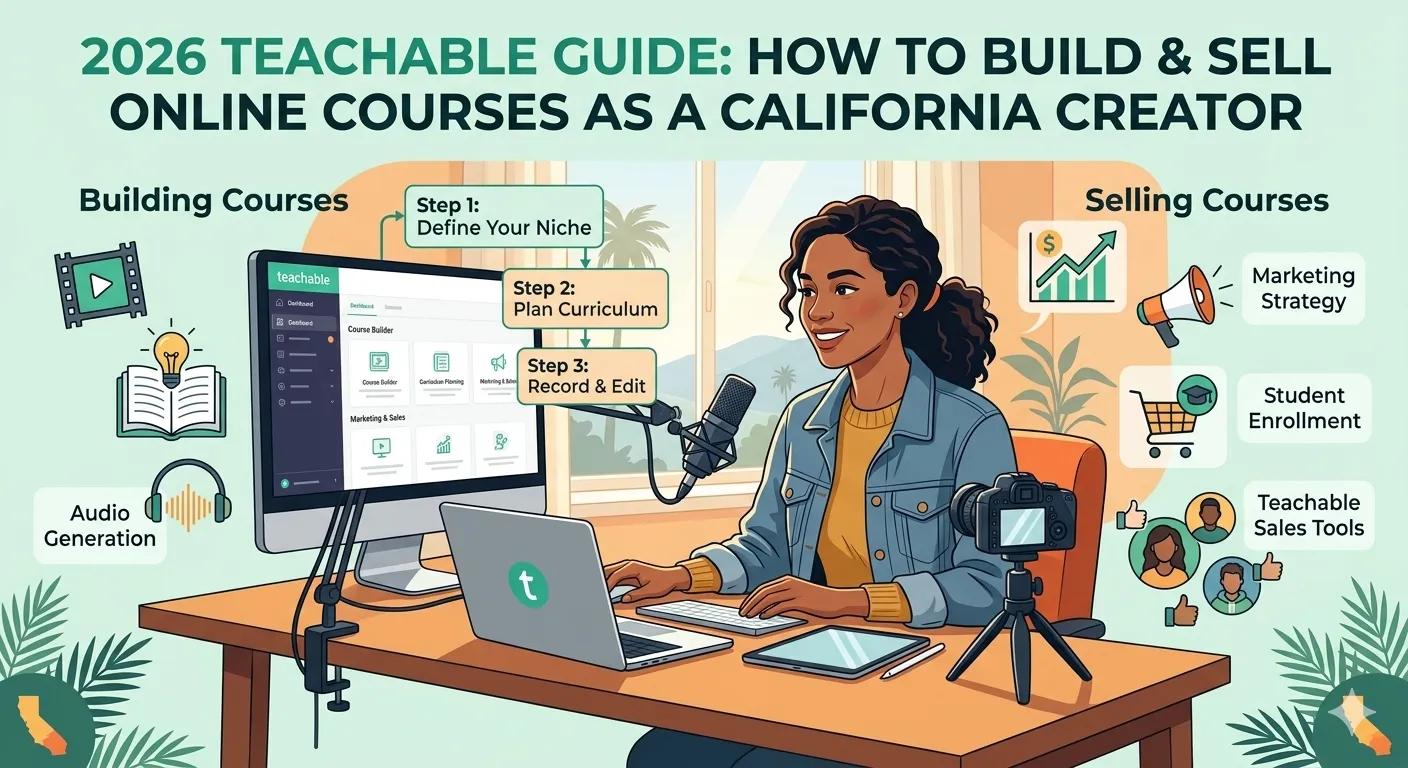
This guide explains how California creators can build and sell professional online courses on Teachable in 2026 using proven eLearning strategies.
Why Teachable Is Popular for Course Creators:
Many online educators prefer Teachable because it offers an easy-to-use platform that allows creators to focus on teaching and selling their knowledge.
Key features include:
- Course hosting
- Built-in payment processing
- Student progress tracking
- Course landing pages
- Membership and subscription options
For creators launching educational businesses in San Francisco or Los Angeles, Teachable provides a simple way to build a professional learning platform without advanced technical skills. Moreover, Teachable allows creators/coaches to host their courses on their own branded platforms. Consider Phil Ebiner’s courses, for instance. Teachable powers his course on online course creation.
Step 1: Define the Learning Outcome of Your Course
Before creating lessons, the most important step is defining the learning transformation your course delivers.
Instead of simply teaching information, your course should help learners achieve a clear outcome.
Example:
- Weak course goal: “Teach marketing strategies.”
- Stronger learning outcome: “Help small business owners create a complete digital marketing strategy within 30 days.”
Clear outcomes help guide:
- Lesson planning
- Assessments
- Course structure
- Marketing messaging
Step 2: Design a Structured Course Curriculum
Many creators start with raw ideas or unorganized content, which makes the learning experience confusing for students.
Instead, build a structured curriculum framework.
Example structure:
ModuleTopicModule 1Course introduction and fundamentalsModule 2Core concepts and strategiesModule 3Practical demonstrationsModule 4Case studies and real-world examplesModule 5Implementation exercisesModule 6Final project and completion
A structured curriculum helps learners progress logically from beginner concepts to advanced applications.
Step 3: Create Engaging Course Content
Effective courses combine multiple learning formats rather than relying only on lecture videos.
Recommended course content types include:
- Video lessons
- Slide presentations
- Worksheets and templates
- Quizzes
- Downloadable resources
For example, a business coach in San Diego may include worksheets that help learners implement strategies discussed in the lesson.
This active learning approach improves engagement and course completion rates.
Step 4: Upload and Organize Lessons in Teachable
Once the content is developed, creators can begin uploading materials to Teachable.
Typical setup steps include:
- Creating course modules
- Uploading video lessons
- Adding downloadable materials
- Creating quizzes and assignments
- Organizing lessons sequentially
This structured layout ensures students can navigate the course smoothly.
For educators in San Jose or Sacramento, a clear course interface significantly improves the student learning experience.
Step 5: Create a High-Converting Course Sales Page
A well-designed course sales page is essential for converting visitors into students.
Important elements include:
- Course overview and learning outcomes
- Instructor introduction
- Lesson previews
- Student testimonials
- Clear pricing and enrollment information
The goal is to demonstrate how the course solves a specific problem for learners.
Step 6: Optimize Your Course Website for SEO
Many course creators overlook search engine optimization (SEO).
However, SEO helps potential learners discover courses through search engines.
Important SEO practices include:
- Keyword-optimized course titles
- Detailed course descriptions
- Blog content related to your course topic
- Optimized video titles and transcripts
For example, a creator in Los Angeles offering a course on digital marketing might publish supporting blog posts about social media marketing strategies or online course creation tips.
These strategies help drive organic traffic to the course website.
Step 7: Promote Your Course Through Content Marketing
Launching a course is only the first step. Promotion is essential for reaching learners.
Effective marketing channels include:
- YouTube educational videos
- Blog content
- Email newsletters
- Webinars
- Social media microlearning posts
By consistently sharing valuable educational content, creators can build authority and attract potential students.
Quick Comparison Table: Teachable vs Other Course Platforms
PlatformBest ForKey AdvantageTeachableBeginner course creatorsSimple course setupKajabiMarketing-focused course businessesBuilt-in marketing toolsThinkificProfessional educatorsFlexible course customization
Each platform offers different advantages depending on the creator’s goals.
Cost Reality Check: Building an Online Course in 2026
Developing a professional course typically involves several costs.
CategoryEstimated CostInstructional design consulting$2,000 – $6,000Video production and editing$1,000 – $4,000Graphic design and course assets$500 – $2,000LMS subscription$39 – $199 per month
While creators can start small, investing in professional course design and structured content significantly improves course quality.
Final Thoughts:
For educators, coaches, and entrepreneurs in California, building an online course can open powerful opportunities to share knowledge and generate revenue.
Platforms like Teachable make it easier than ever to launch digital learning programs.
However, the most successful courses go beyond simple video uploads.
By combining instructional design, structured curriculum development, engaging learning assets, and SEO optimization, creators can build online courses that deliver real value to learners while growing a sustainable education business.
References:
- https://www.coursebox.ai/blog/online-learning-statistics?utm
- https://onlinecoursemasters.teachable.com/
FAQs:
Why is Teachable a good platform for course creators?Teachable offers an easy-to-use interface, course hosting, payment processing, and student management tools, making it popular among online educators.
What skills are needed to build a professional online course?Course creators benefit from skills in instructional design, curriculum development, content creation, and digital marketing.
How long does it take to build an online course?Most structured courses take 4–8 weeks to develop, depending on lesson count, content format, and production quality.
Why is instructional design important for online courses?Instructional design ensures that lessons follow logical learning pathways, improving learner engagement and completion rates.
How can TheEduAssist help build a Teachable course?TheEduAssist supports course creators by helping design structured curricula, engaging lesson content, instructional scripts, and LMS-ready course materials that can be implemented on platforms like Teachable.
Authored By: Sofia Arif